Building a VirtualBox Home Lab to Level Up My MECM Skills
Continuous improvement has always been a core part of how I approach my work in security engineering. Whether it’s sharpening foundational skills or exploring new tooling, I’ve found that nothing accelerates learning quite like building and breaking things in a controlled environment.
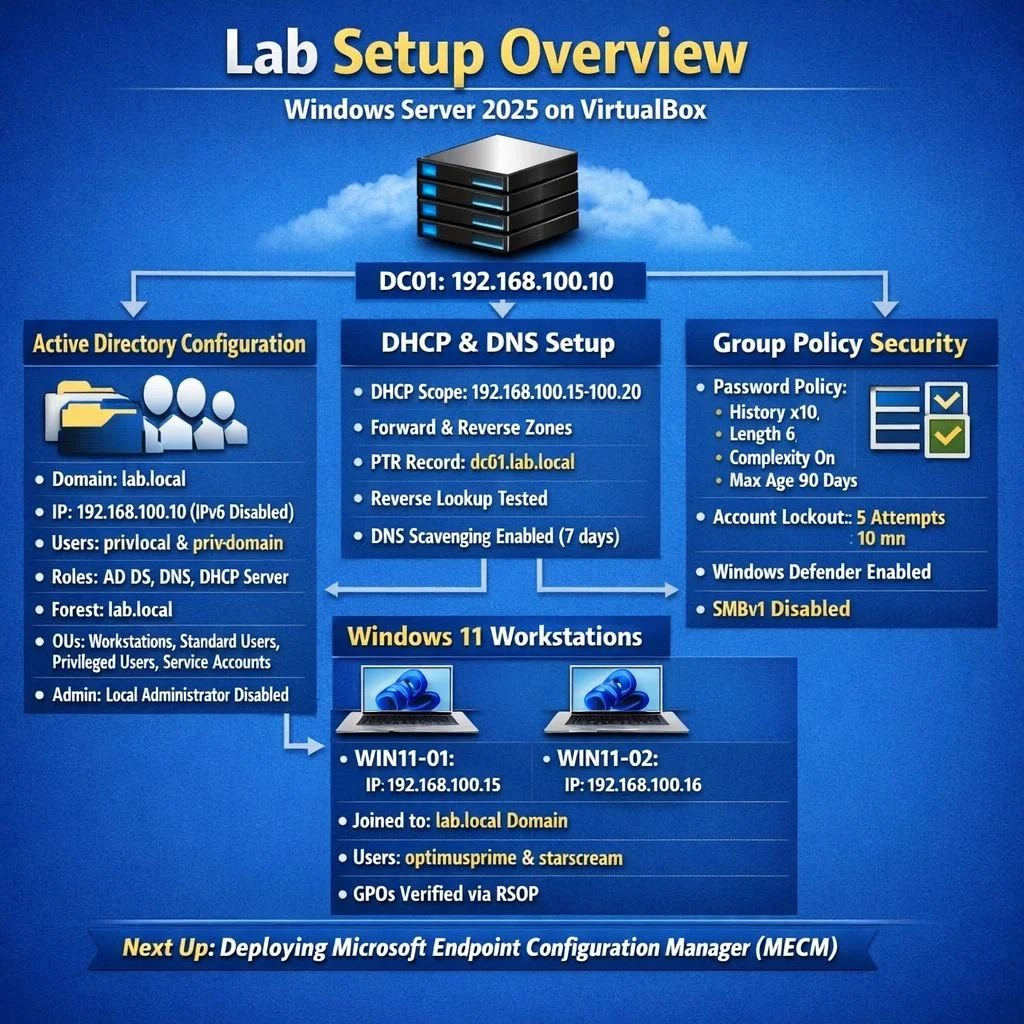
This week, I spun up a brand‑new VirtualBox home lab—a clean, purpose‑built environment designed to support ongoing skill development, particularly around Microsoft Endpoint Configuration Manager (MECM). This lab will serve as the backbone for a deeper dive into enterprise‑grade endpoint management, deployment, and security hardening.
A Fresh Active Directory Forest: lab.local
The heart of the new environment is a Windows Server VM configured as:
• Active Directory Domain Services (AD DS)
• DNS
• DHCP
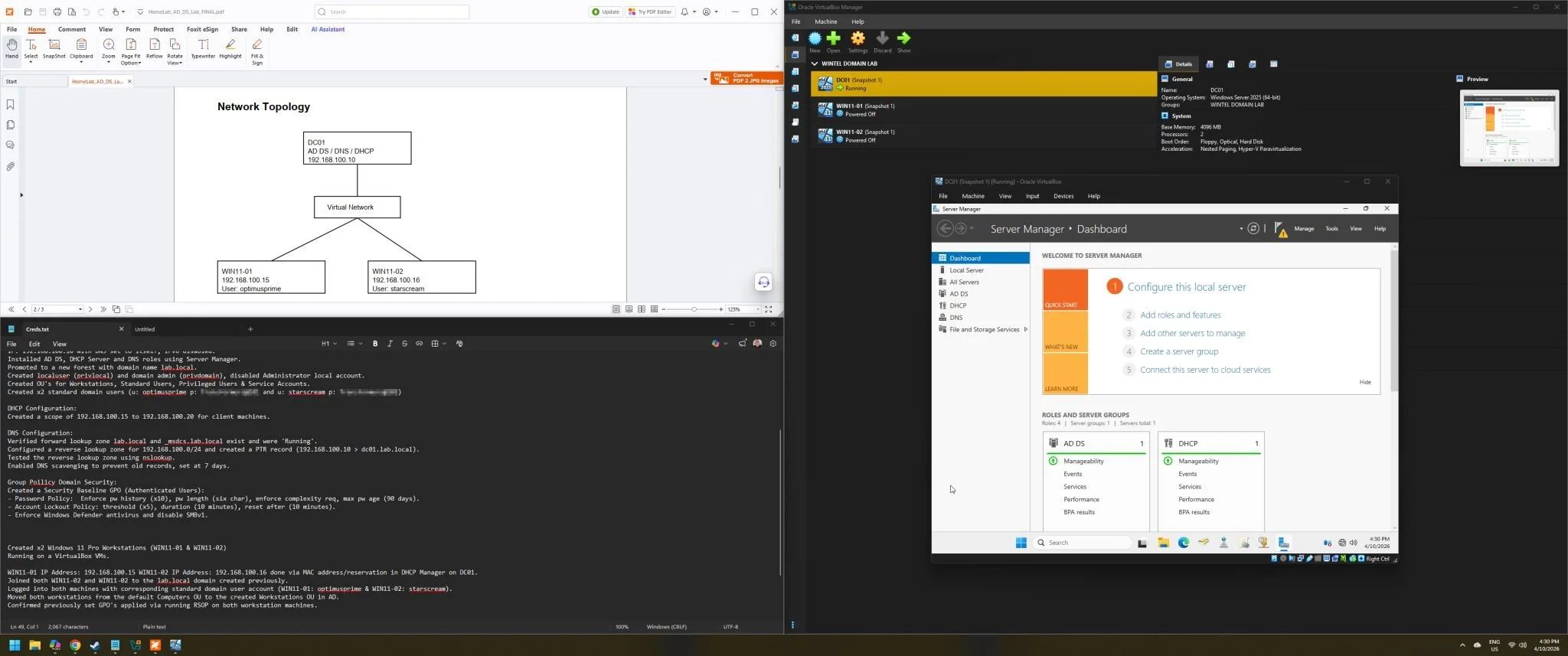
I stood up a new forest, lab.local, and configured the domain controller (DC01) with the core services needed to simulate a realistic enterprise environment. This included:
• Creating purpose‑built Organizational Units (OUs)
• Implementing security baseline Group Policies
• Establishing privileged and service account structures
• Enforcing password policies aligned with best‑practice security standards
(history, complexity, minimum/maximum age, etc.)
To support domain operations, I also configured DNS zones, A and PTR records, and enabled DNS scavenging to keep the namespace clean and healthy.
Workstation Deployment and Domain Join
To round out the environment, I provisioned two Windows 11 workstation VMs:
• WIN11‑01
• WIN11‑02
Each was assigned a static IP within the DHCP scope and successfully joined to the lab.local domain. These machines will become the test subjects for MECM deployment, policy validation, software distribution, and endpoint security scenarios.
Why This Lab Matters
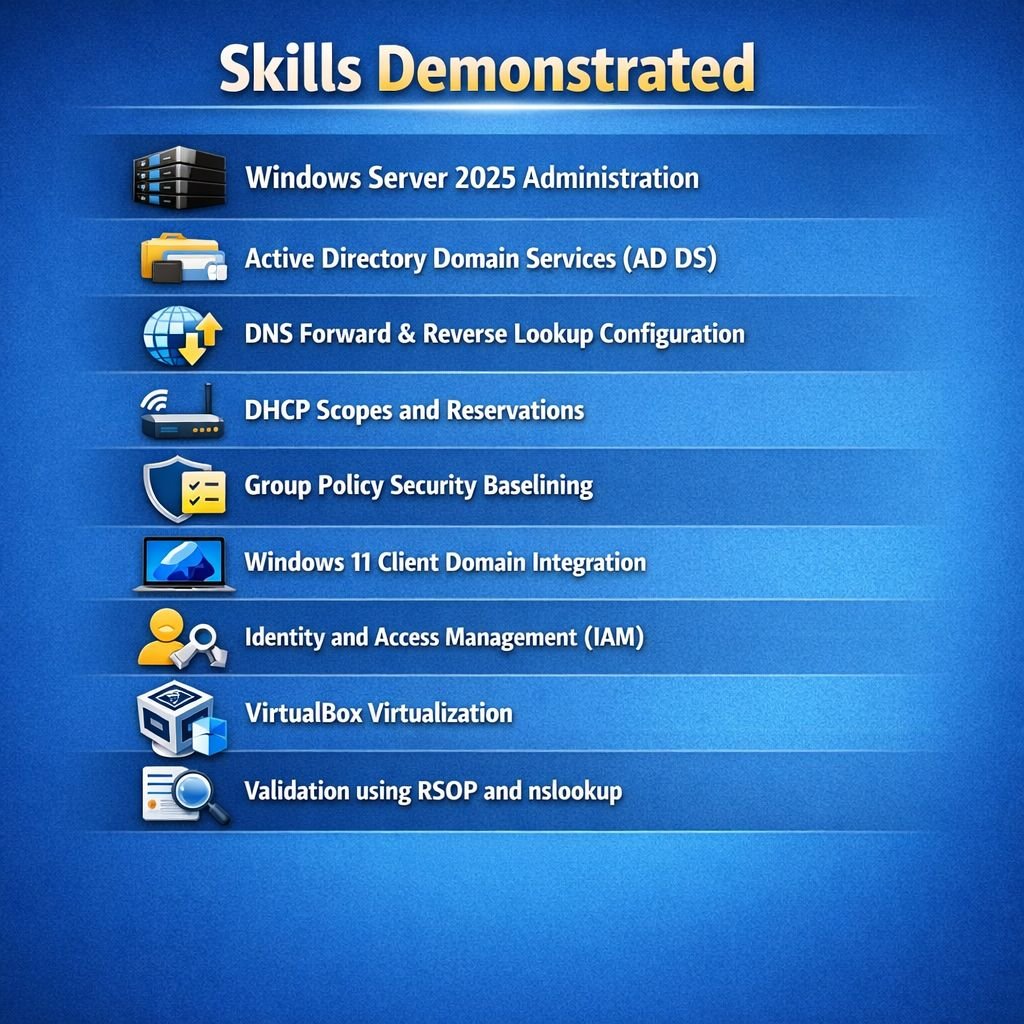
In my role as a Security Engineer at CyberCX, working within the Compute team, my day‑to‑day sits at the intersection of:
• Security engineering
• Classic Wintel systems administration
• Enterprise endpoint management
• Infrastructure hardening and operational excellence
This lab isn’t just a hobby project — it’s a deliberate investment in staying sharp, relevant, and deeply capable in the technologies that matter to my clients and my team.
I’m driven by a genuine passion for the craft. If that means late‑night builds, self‑directed learning, or spinning up new environments to test ideas, then that’s exactly what I’ll do. The goal is simple: deliver the highest standard of service, backed by hands‑on expertise.
What’s Next: MECM Build‑Out
With the domain foundation now in place, the next phase is the exciting part — deploying Microsoft Endpoint Configuration Manager.
This will include:
• Standing up the MECM infrastructure
• Integrating it with Active Directory
• Configuring boundaries, discovery methods, and collections
• Testing application deployment, OS deployment, and compliance baselines
• Exploring endpoint security and reporting capabilities
This lab will evolve into a full‑fledged MECM sandbox where I can experiment, refine processes, and deepen my understanding of enterprise endpoint management.
Final Thoughts
Home labs are one of the most powerful tools for continuous improvement in the IT and security world. They provide a safe space to explore, test, break, and rebuild — all without impacting production environments.
This new VirtualBox lab is already proving to be a solid foundation, and I’m looking forward to sharing more as the MECM build progresses.
Learning by doing is the best way forward.